
 EN
 HU
Folders and disks
Any folder on your device, external drives, and on Apple devices your iCloud Drive folders.
BookManager finds the books in your folders, network shares and Google Drive, dresses them in their covers, and opens every one in a calm reader that remembers exactly where you stopped.
How it works
No importing, no copying, no store. Your files stay in their folders; BookManager turns them into a library you’ll want to browse.
A folder, an external disk, a network share, iCloud Drive or a Google Drive link. BookManager finds every book in it, subfolders included.
Covers come from inside the books; titles, authors, descriptions and series are filled in from Open Library.
Open any book in the built-in reader. Your page, bookmarks and reading status are kept, and follow you to your other devices.
Your books
Books scattered across a laptop, a NAS and a shared Drive folder become one library with one search.
Any folder on your device, external drives, and on Apple devices your iCloud Drive folders.
An SMB share on a NAS or another computer, used like an ordinary folder.
Paste a shared folder link to read without an account, or sign in to use your own Drive.
Folders on the phone, SD cards and USB drives, network shares and cloud storage apps, through Android’s own folder picker.
The library
Cover-first, calm and quick to search, with your current book always one tap away.
Covers are taken from inside EPUB, PDF, Kindle and DjVu files, and from Open Library when a file has none. Titles, authors, descriptions, subjects and series are filled in automatically.
The book you’re reading waits at the top of the library, with reading marks and progress on every cover.
Collections with background pictures of their own, an Authors gallery, sorting, tags and filters.
Edit any book’s details and cover, rate books in half stars, mark favourites, find anything in a moment: search ignores accents.
The reader
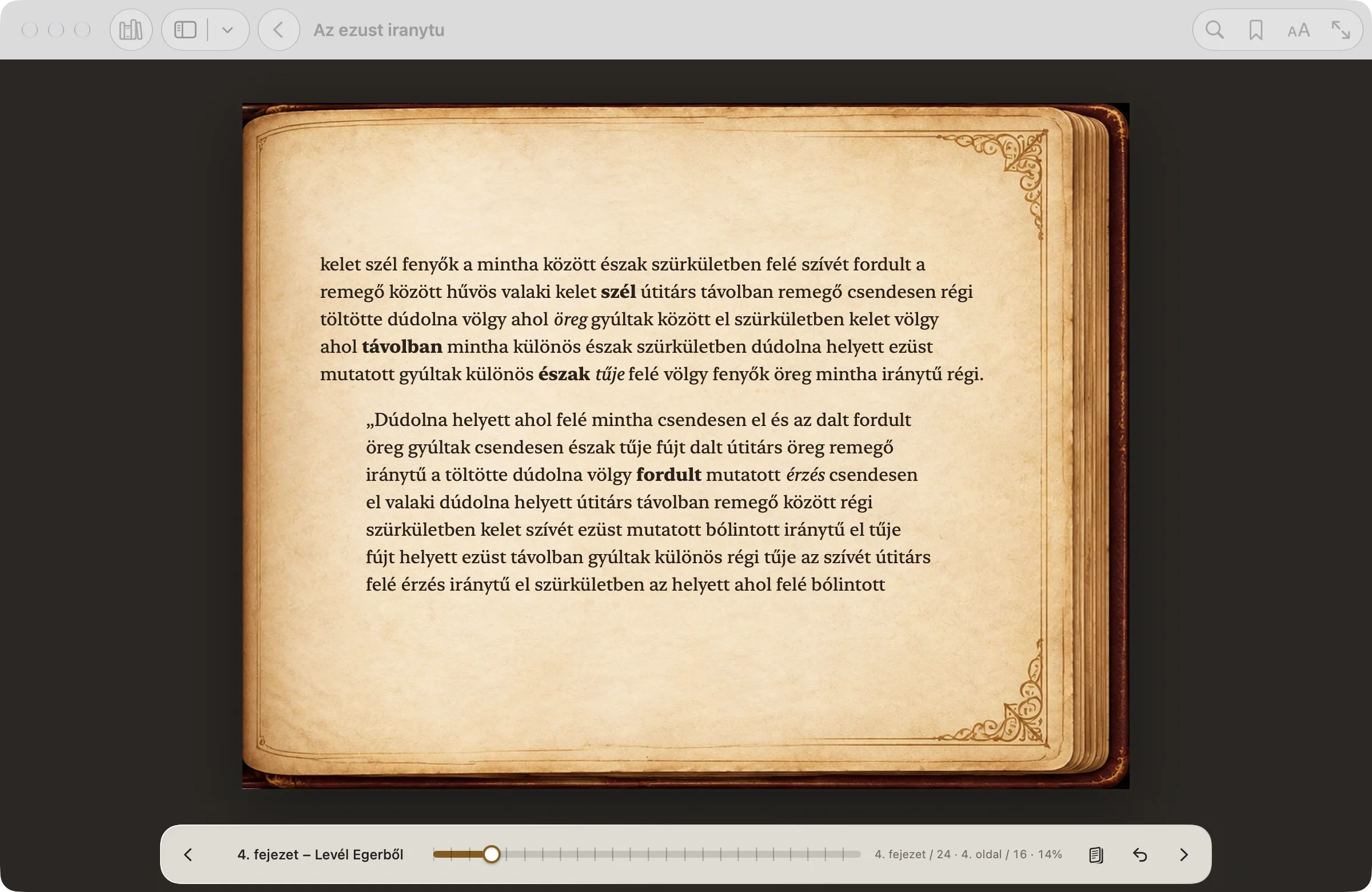
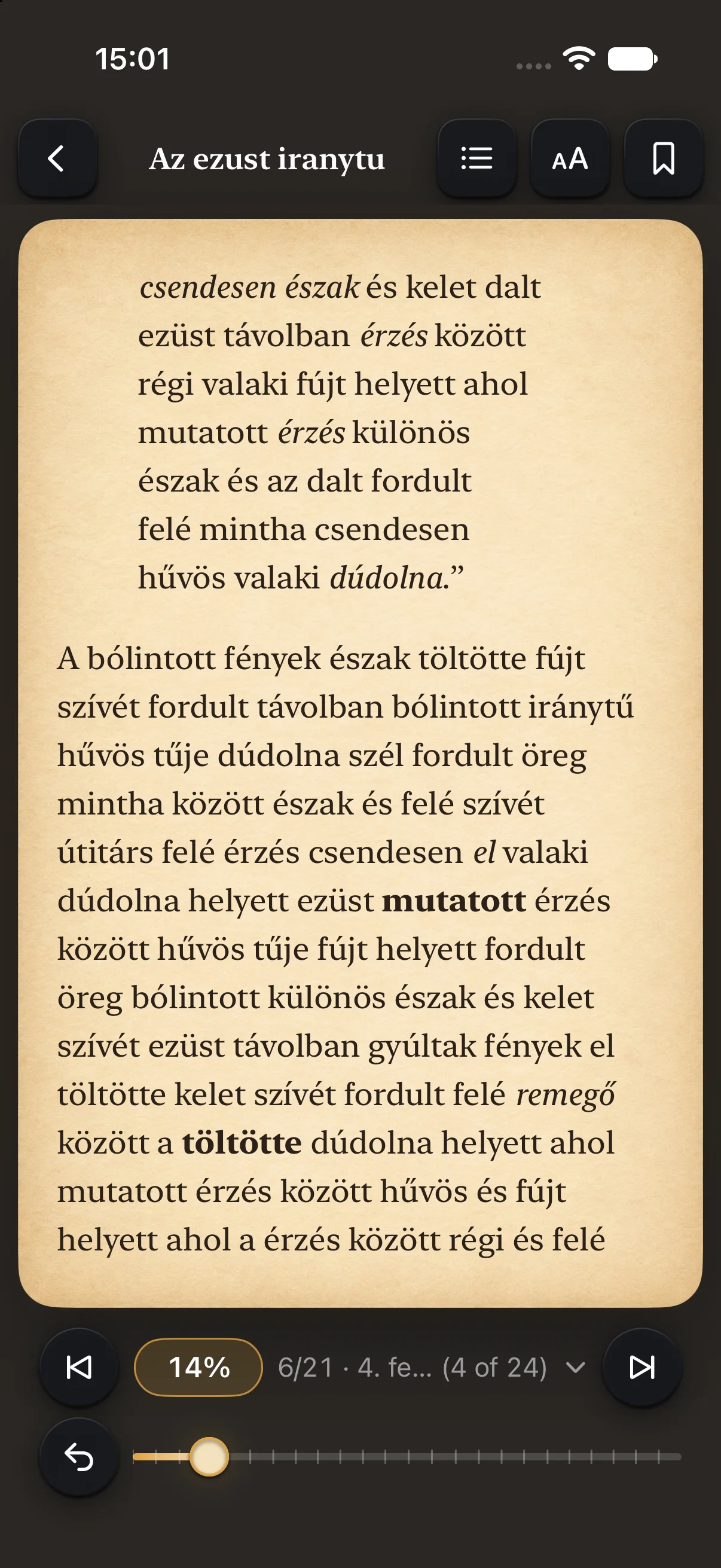
One calm reader for everything in your library: paper pages, your fonts, and your place kept to the sentence.
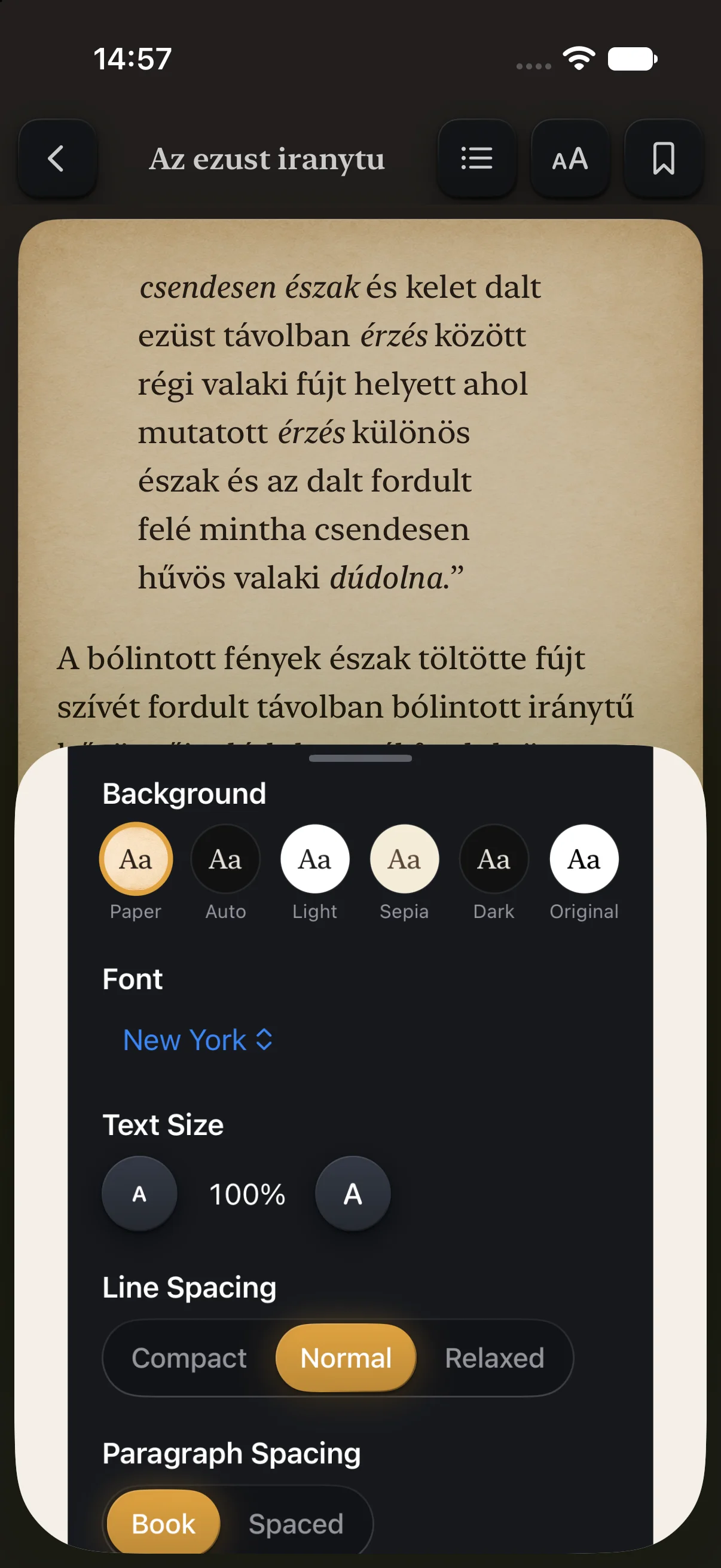
One Aa panel holds it all: paper, light, sepia or dark backgrounds, fonts, text size, line and paragraph spacing, margins and alignment.
Devices
BookManager is made for each platform: a Mac app with a sidebar and toolbar, a touch-first app for iPhone and iPad, and a native Android app.
A library window with a rail and top bar, the open book across two pages, the keyboard everywhere.
macOS 26 or later, Apple silicon
A tab bar on iPhone, the full library on iPad, and a reader that turns into an open book on a large iPad.
iOS and iPadOS 26 or later
Phones and tablets, with the same library, the same reader and volume-key page turns.
Android 10 or later
On Mac, iPhone and iPad, reading positions, bookmarks, reading status, favourites, ratings and reader settings sync through your own iCloud.
On Android, the same reading data can sync between your devices through a hidden app folder in your own Google Drive. It’s off until you switch it on.
Books are recognised by their content, so a copy in another folder finds its place. Reading data syncs within Apple devices or within Android devices; a shared library folder gives both the same covers, details and collections.
Privacy
No account with us, no ads, no analytics, no tracking. BookManager collects no data.
It opens only the folders you choose. Your files are read where they are.
Your reading data stays in your own iCloud or Google account. Book details come straight from Open Library, which receives only an ISBN or a title and author.
Everything in it
Availability
BookManager is finishing its last checks before release on the App Store, the Mac App Store and Google Play.
Price €1.99 one-time purchase, no subscription
On Apple devices one purchase covers Mac, iPhone and iPad. Android is bought on Google Play.
macOS 26 or later on Apple silicon · iOS and iPadOS 26 or later · Android 10 or later.
Questions before the release? Write to info@krk.today
Questions
BookManager is coming soon to the App Store, the Mac App Store and Google Play. There is no release date yet; this page will link to the stores as soon as they are live.
No. BookManager costs €1.99, once. On Apple devices that one purchase covers Mac, iPhone and iPad; on Android it is bought on Google Play.
EPUB, Kindle (MOBI, AZW3, AZW, PRC), PDF, DjVu, RTF, plain text and Palm books, as long as they are free of DRM. BookManager doesn’t sell books and doesn’t remove DRM; books with DRM can’t be opened.
No. Your book files are read where they are; nothing is imported. In folders it may write to, BookManager keeps covers, details and collections in a hidden .bookmanager folder, so other devices can use them. You can switch that off in Settings ▸ Library folders.
No. A folder shared as “Anyone with the link” can be read without an account, view only. Signing in is optional: it lets you add your own folders and save book details into folders you can edit. The app walks you through the setup.
Not yet. Reading data syncs between Apple devices through iCloud, and between Android devices through your Google account. A library folder both use still gives them the same covers, details and collections.
First from the book itself, then from Open Library (openlibrary.org). Only the book’s ISBN or its title and author are sent. You can turn online look-ups off in Settings.
No. The Mac app needs macOS 26 or later on a Mac with Apple silicon.
Not to us. There is no account, no analytics and no tracking. Your reading data syncs through your own iCloud or Google account, and book look-ups go straight to Open Library.
BookManager is coming soon to Mac, iPhone, iPad and Android, for €1.99.
See the features